The whole tree, with what changed
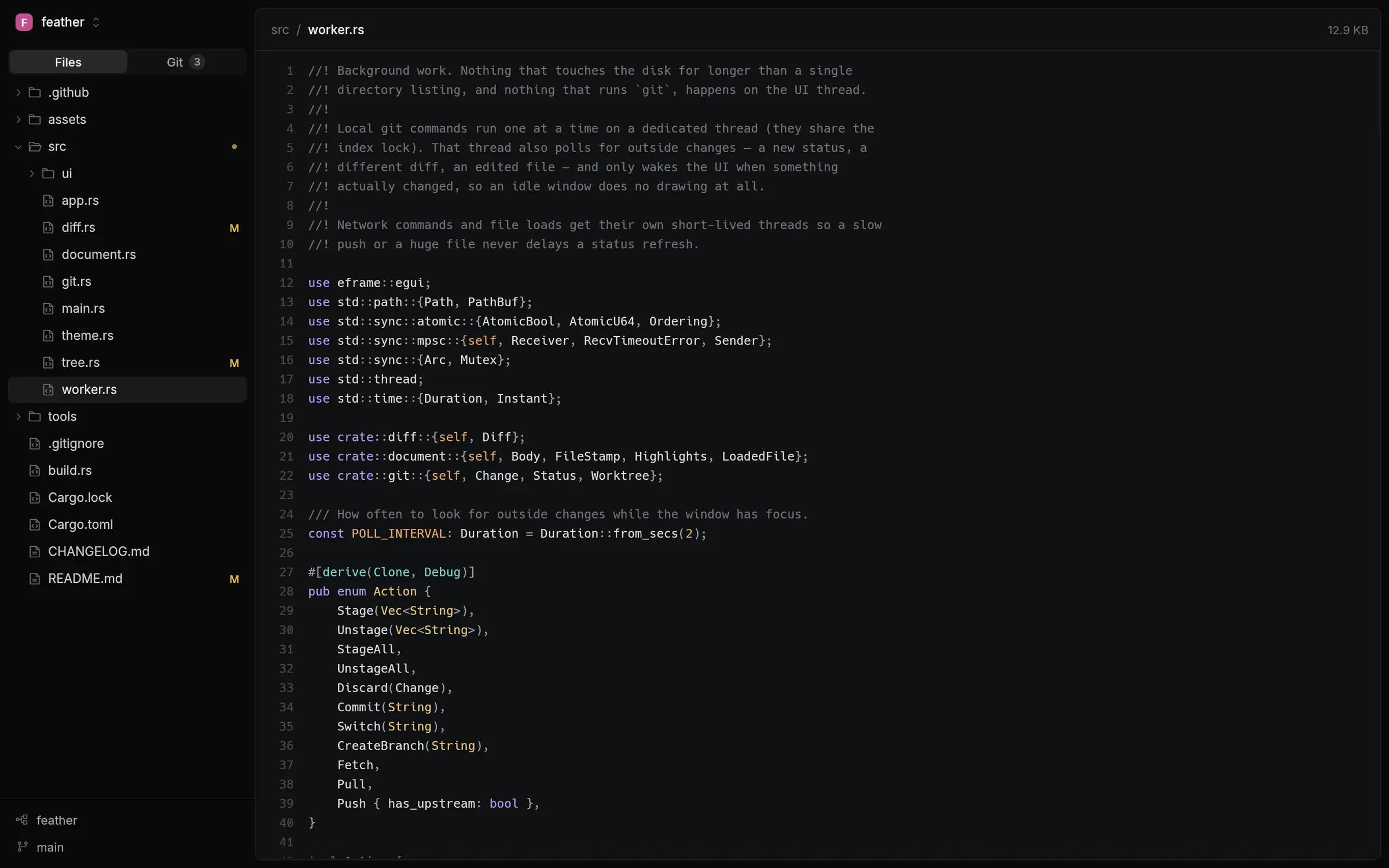
Open any folder and its files are on the left. Modified and new files are marked, ignored ones are dimmed, and big folders only load when you open them.
 Feather
Free for Windows, macOS and Linux
Feather is a small, fast desktop app for looking through a repository and doing everyday git. It opens in a blink, shows you the files and what changed, and stays out of the way.
Open any folder and its files are on the left. Modified and new files are marked, ignored ones are dimmed, and big folders only load when you open them.
Source is syntax highlighted. Markdown is rendered, with a switch back to the raw text. Images and SVGs show as pictures.
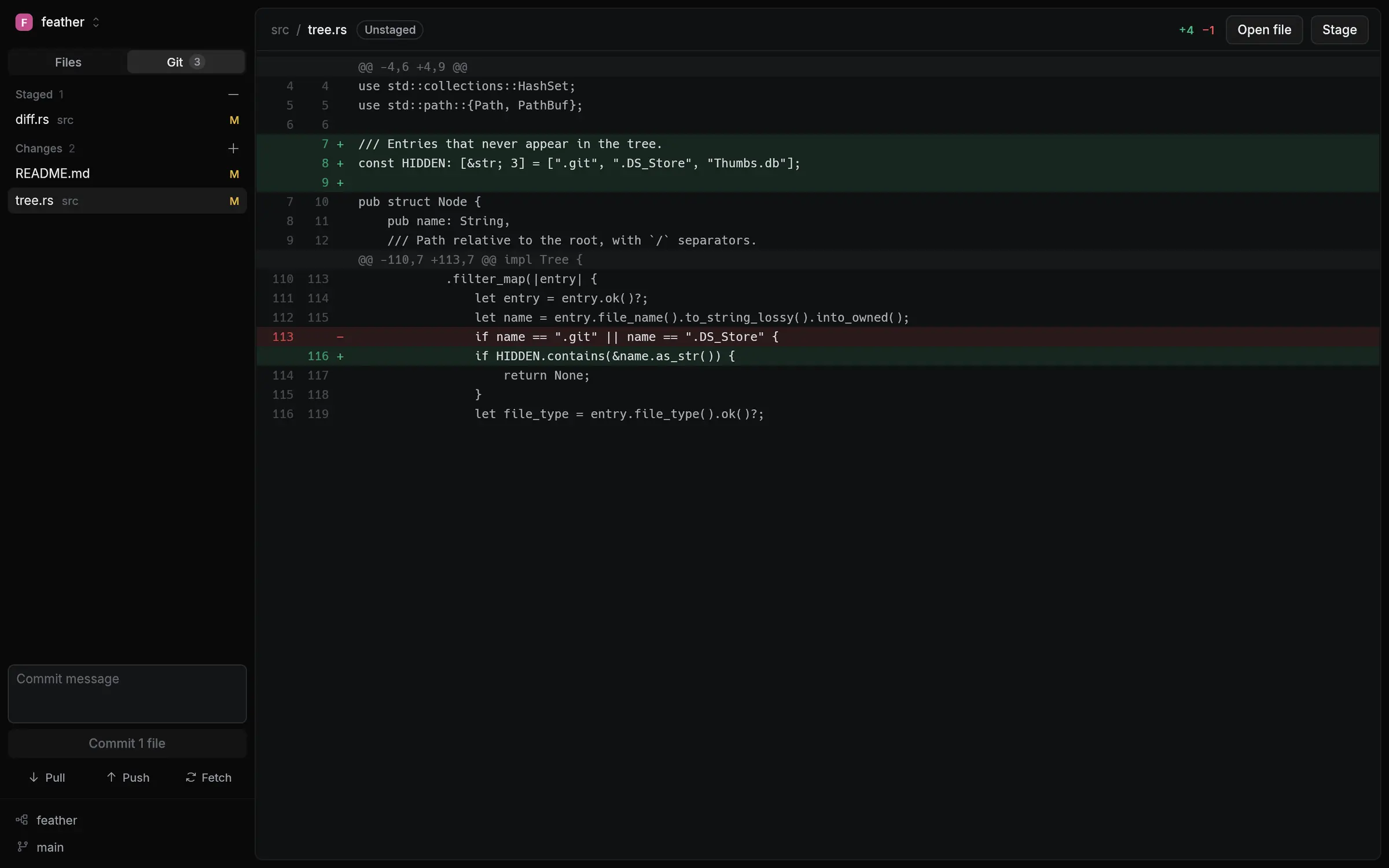
Staged and unstaged changes sit in two lists. Click one for its diff, stage or discard it from the row, write a message and commit. Pull, push and fetch are right below.
Both live in the bottom-left corner. Click to switch, or type a name that doesn't exist yet to create a branch.
Edit in your editor, run git in your terminal: Feather notices within a couple of seconds and updates the file, the diff and the change list.
One small program with nothing else to install. It draws with your graphics card, and when nothing is changing it does no work at all.
Line numbers stay put while long lines scroll. Select and copy as you would anywhere else. Files of any size open straight away, and colour follows a moment later.
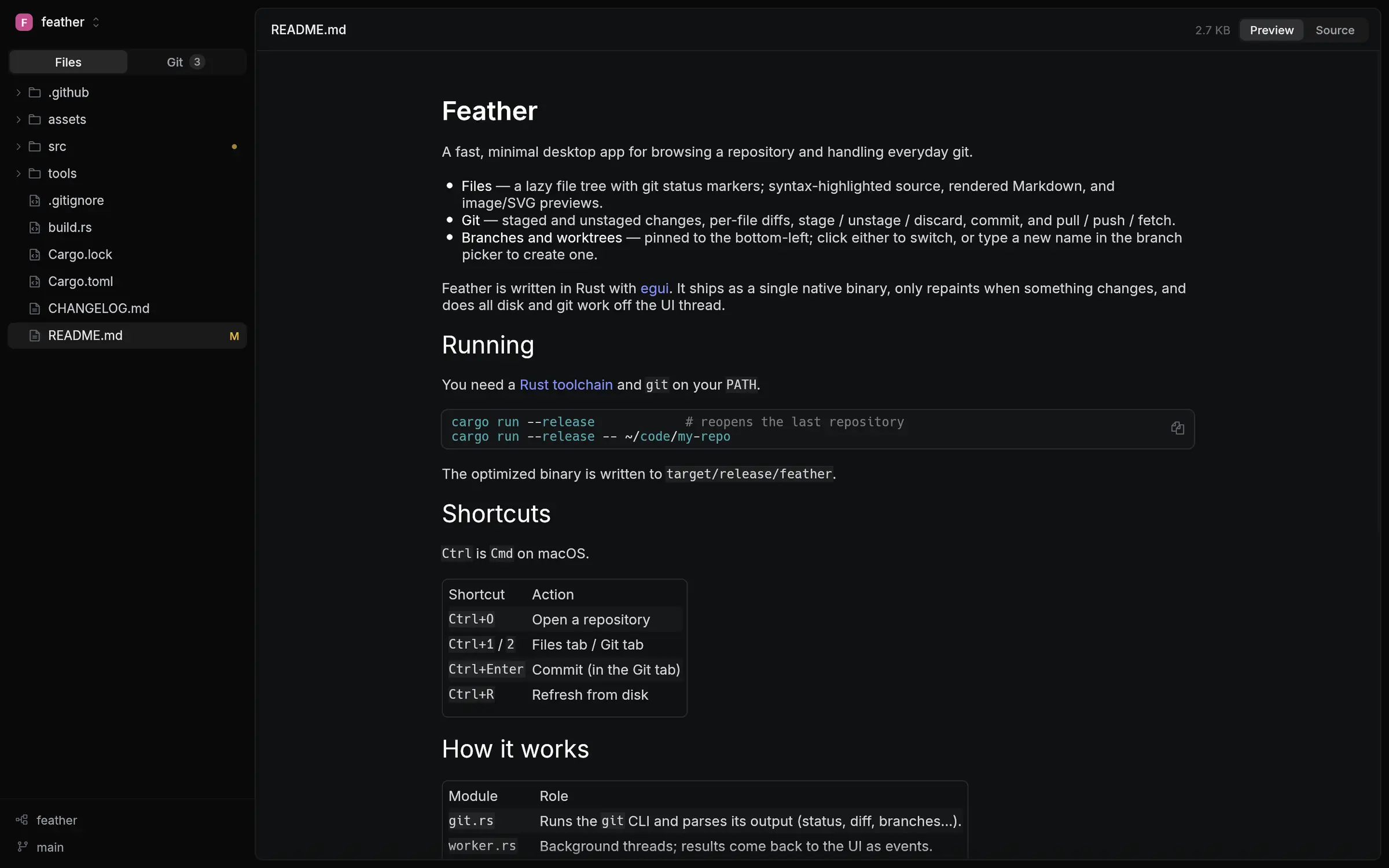
Open a repository and Feather lands on its README, rendered with headings, tables, code blocks and images. Switch to Source to see the Markdown itself.
Feather uses the git you already have, so your hooks, signing and saved logins work as they do in a terminal. Install git first if you don't have it.
macOS 11 or newer, Apple silicon and Intel
Windows 10 or 11, 64-bit
feather-windows-x86_64.exe and put it wherever you like. There is no installer.64-bit Intel or AMD, Ubuntu 22.04 or a distribution as recent
tar -xzf feather-linux-x86_64.tar.gz./feather, or ./feather path/to/repo to open one directly.Latest release